Time and effort · 2 CFR 200.430(g)
Your time and effort solution.
Hours by fund. Approved every pay period. Signed, dated and locked every quarter — ready the day someone asks to see it.
Send your headcount and your funders. The price comes back in writing, on one line, as one invoice.
Standards
One rule sits under every federal award.
2 CFR 200.430(g) says how a grant-funded person's time must be documented. It asks three things of the record. A budget estimate gives you none of them.
It applies whether or not your funder is on this list: HRSA Health Center Program · Ryan White Part A · HOPWA · Title X · WIC · Head Start · CSBG · MHBG · Title I · and any federal money passing through a state, a county or a city.
FTE Tracker makes and keeps the records the rule asks for. It does not decide whether a cost is allowable, it does not guarantee an audit outcome, and it holds no certification.

Product
Two things a spreadsheet cannot produce.
A quarter that is signed and dated.
Each person's report is signed by them and by their supervisor, and each signature carries its own date and time zone. An undated signature is the finding that costs organizations money, so the date is on the document, not in a log behind it.

The gap is the whole point.
A budgeted target sits against what actually happened. The difference is shown on the fund that is off, as a number with its direction and its size — not as a red row you are left to interpret, and not as a colour that disappears on a photocopy.
How it works
The same four steps, every quarter.
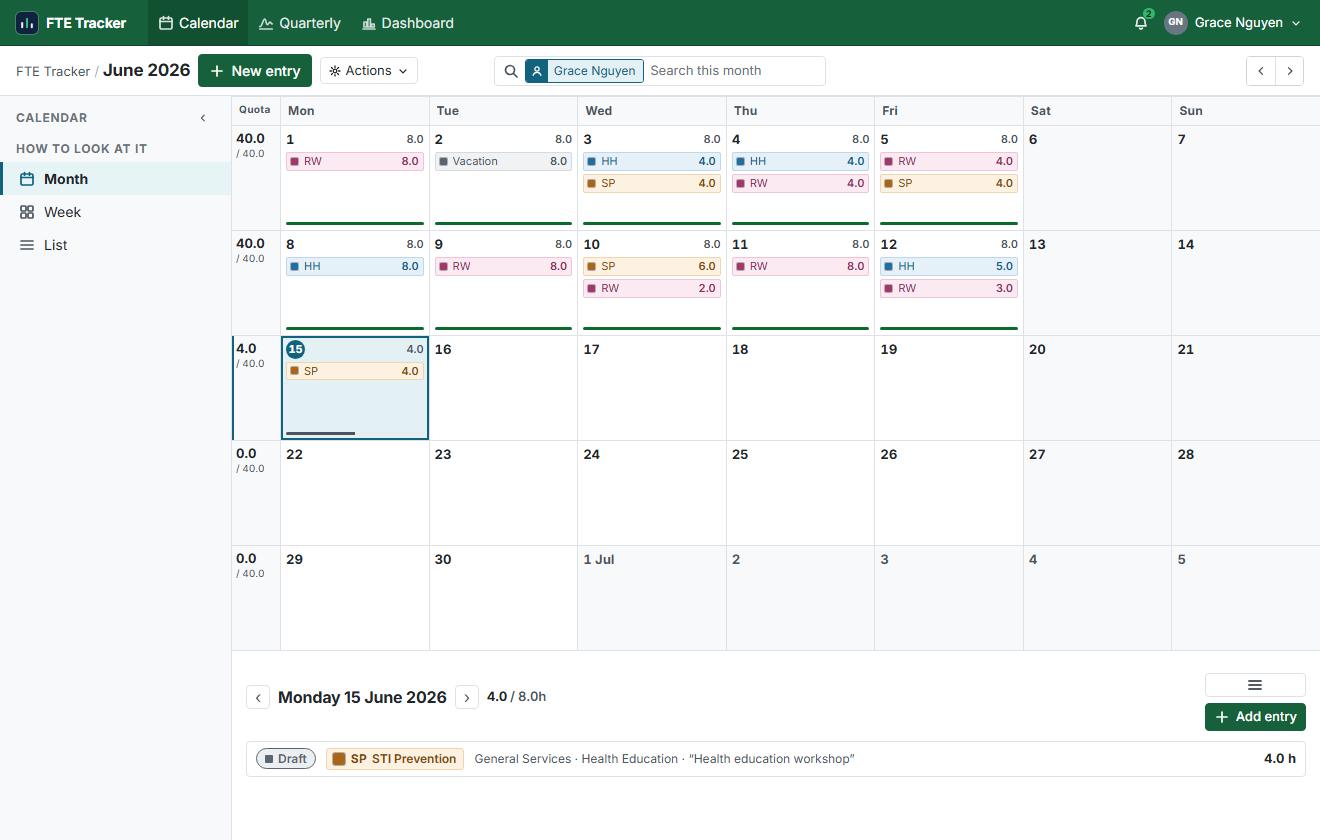
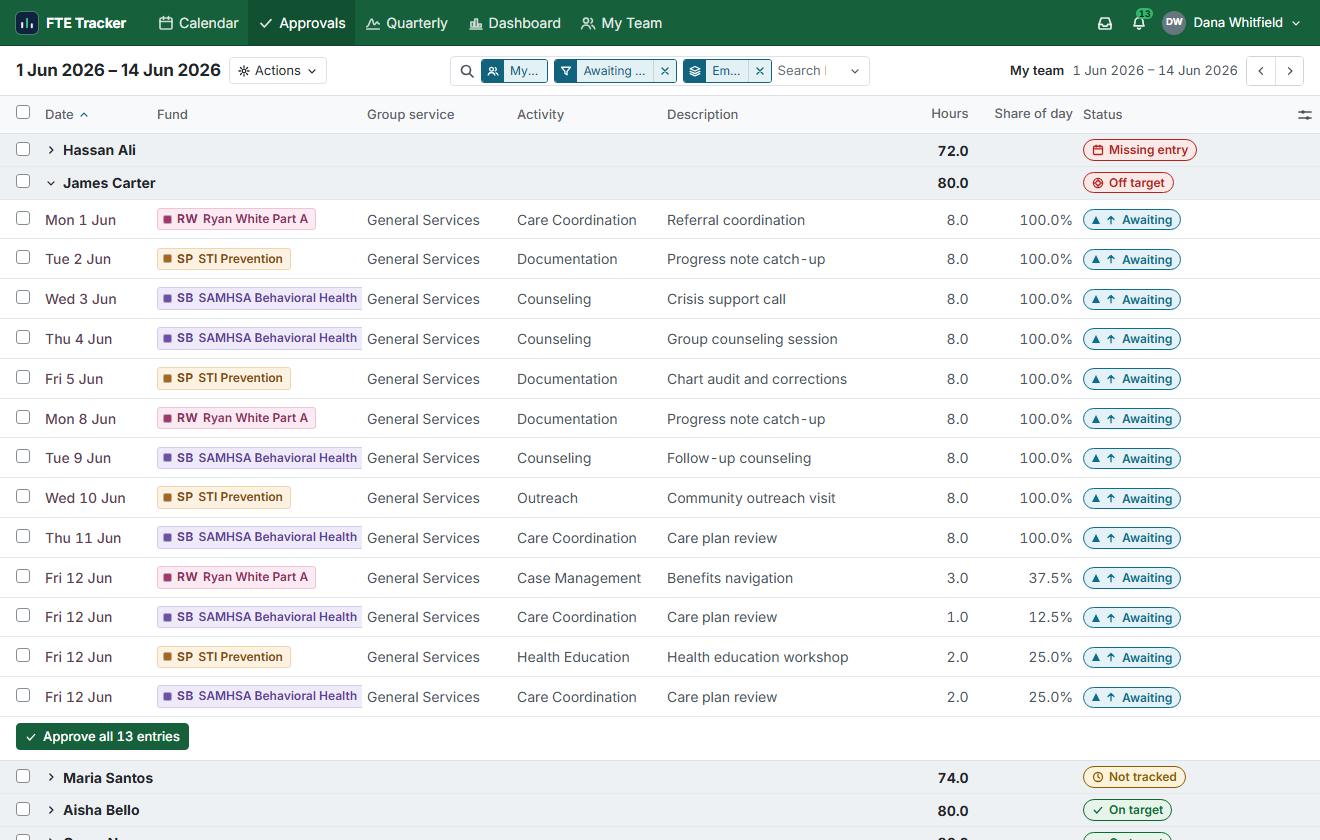
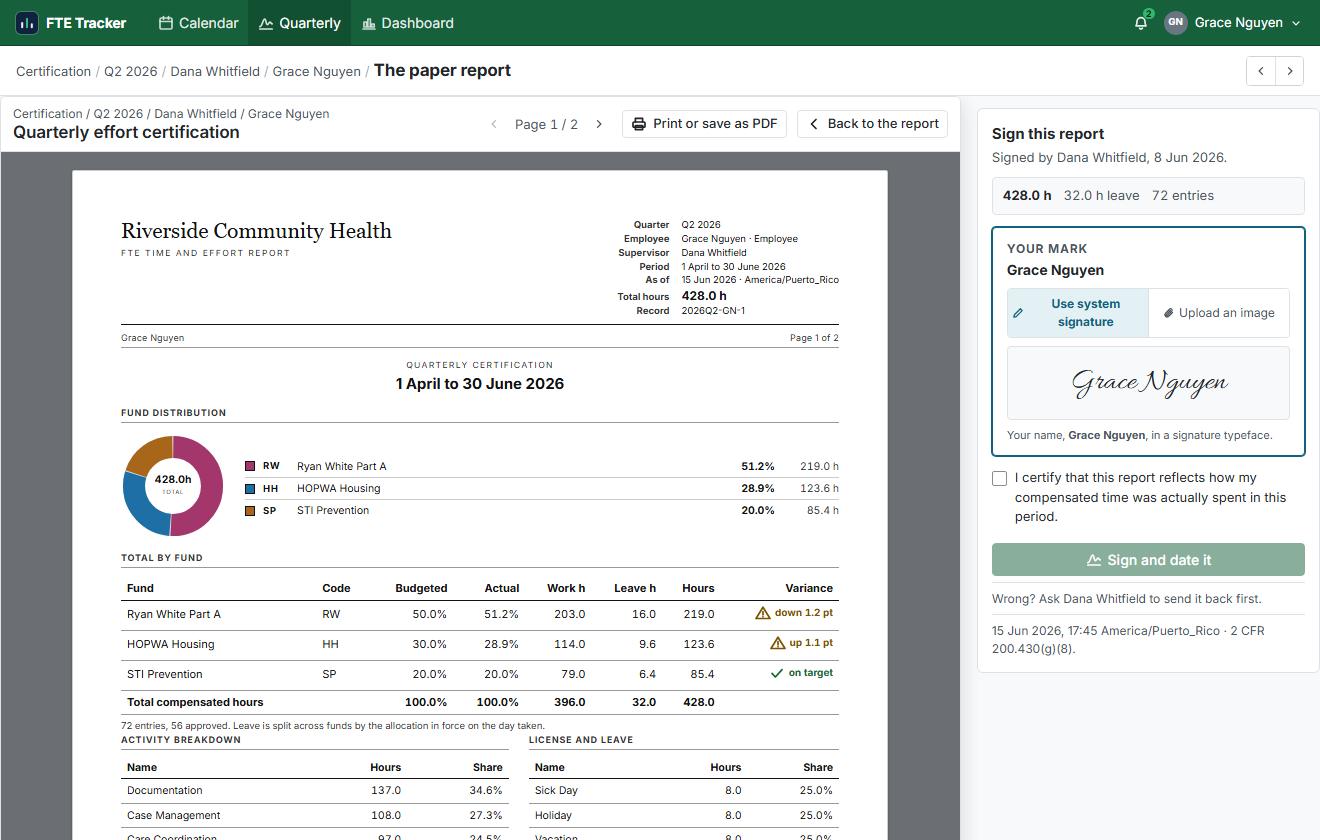
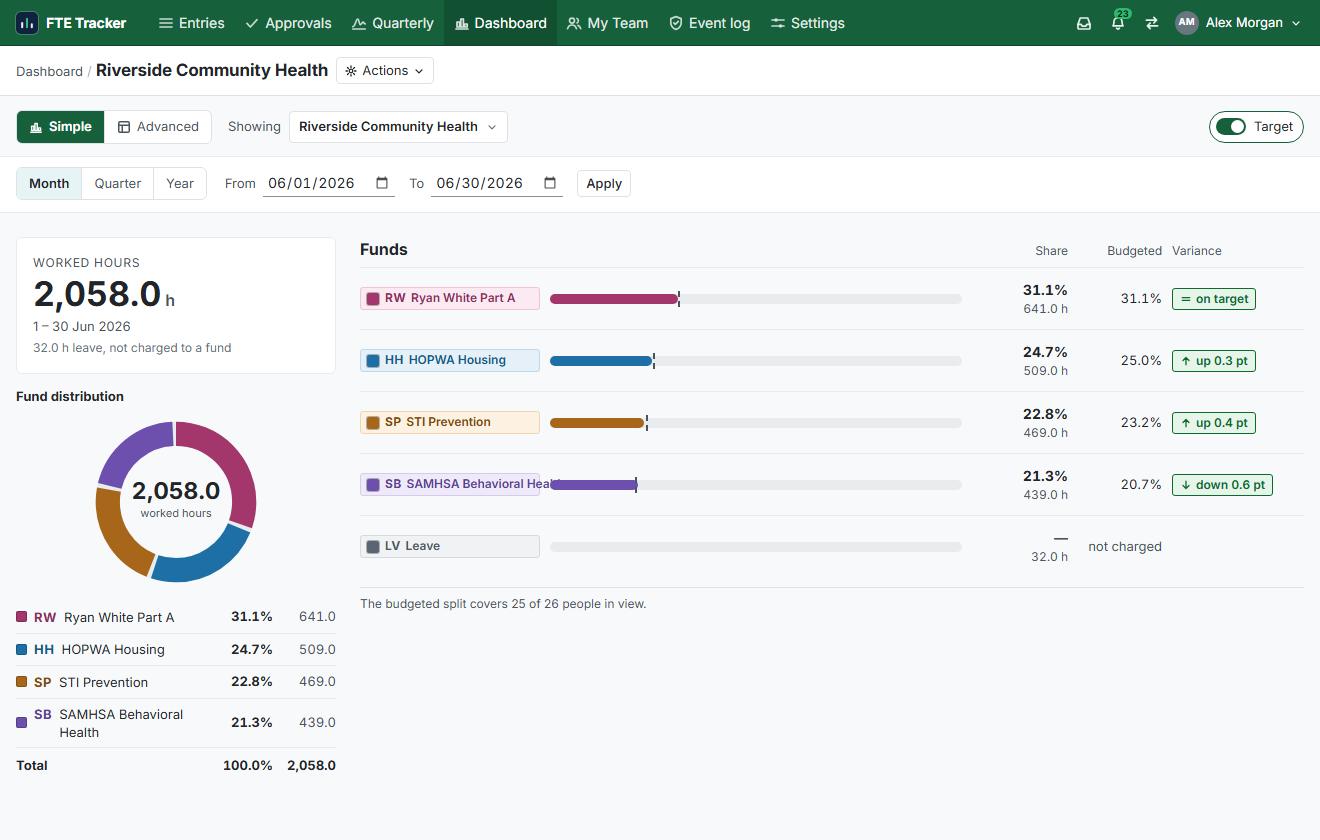
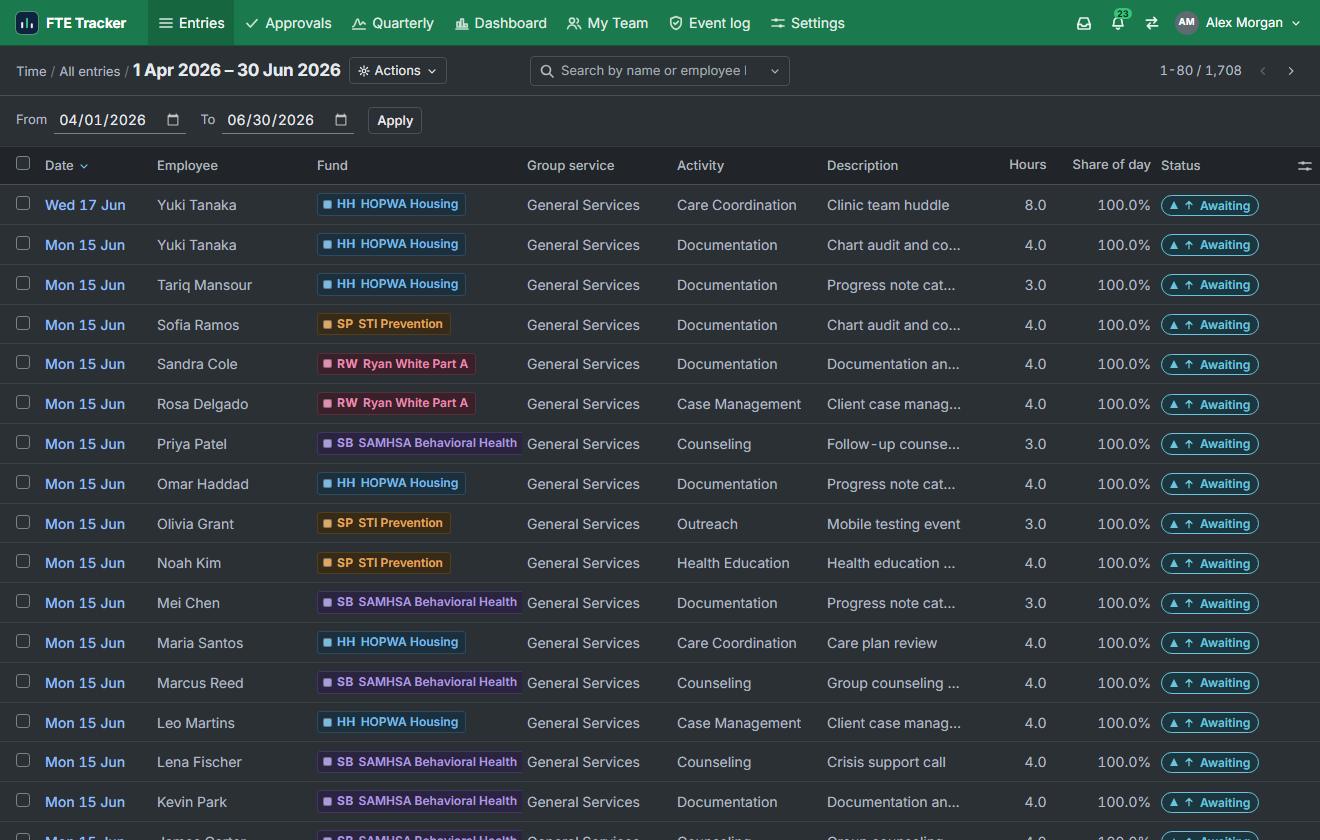
Four screens, in order · Riverside Community Health, Q2 2026 · photographed from the running application.
Post the week
At the end of a week a person says which fund paid for which hours. Two minutes.
Approve the period
A supervisor works the queue, approves in bulk, and sends back what is wrong with a written reason.
Sign the quarter
Employee and supervisor each sign, each signature carrying its own date and time zone.
Answer the question
The entry, the approval and the signature are one click apart, and all three print.
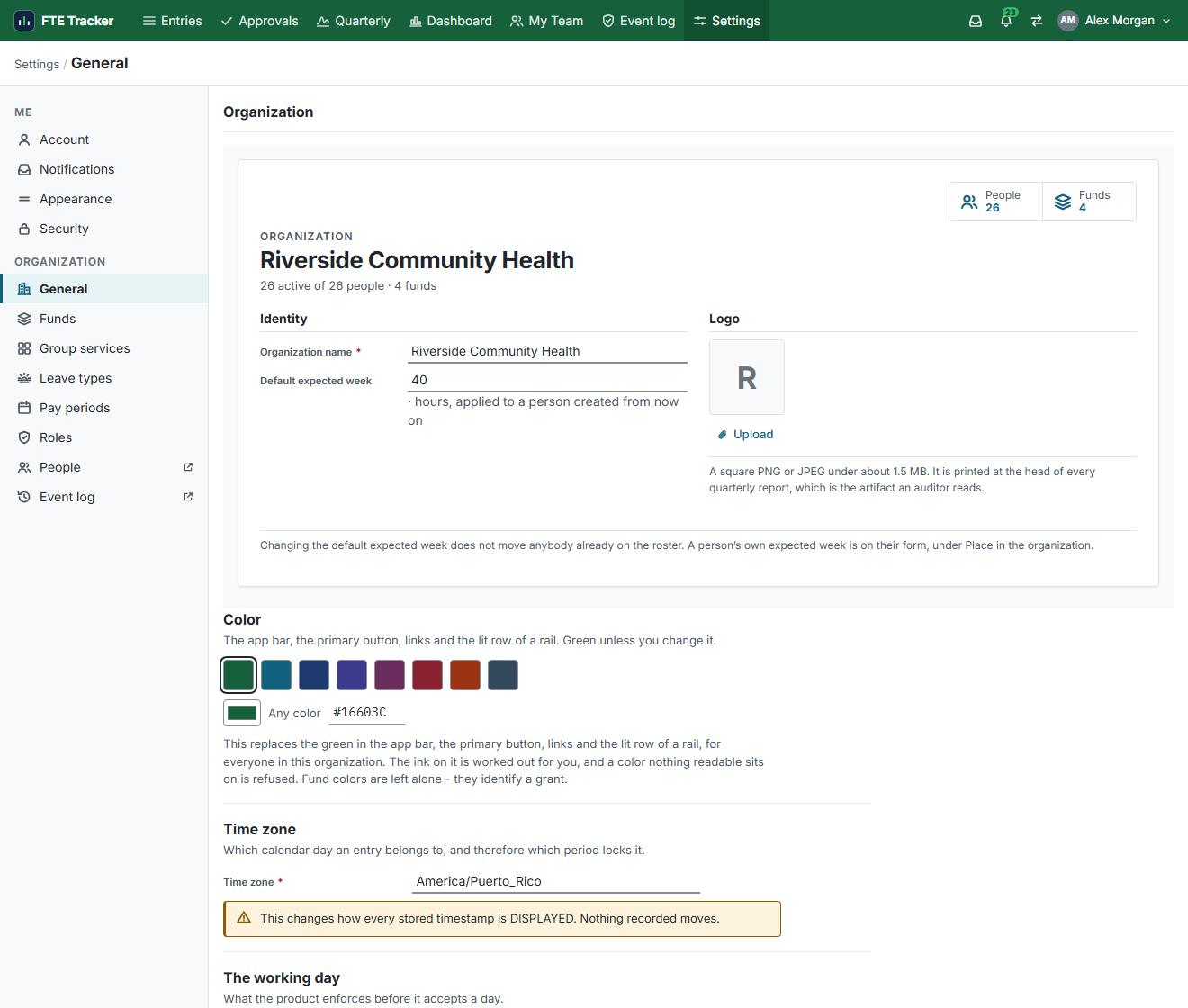
Light and dark, both readable. The green is a default, not a rule: set your own colour once and the bar, the buttons, the links and the lit row of a rail follow it.
What the rule expects
Against the thing you use today.
| 2 CFR 200.430(g) expects | A spreadsheet | FTE Tracker |
|---|---|---|
| All hours, not just the grant(g)(1)(i) | No. Only if kept by hand | Yes. The day must total 100% |
| Proof a supervisor reviewed it(g)(1)(vii) | No. No reviewer, no date | Yes. Named approver, every period |
| Signed and dated(g)(8) | No. A typed name in a cell | Yes. Two signatures, both timestamped |
| Held in your official records(g)(1)(ii) | No. Whichever copy is newest | Yes. Approved entries lock |
| Budget estimates do not count(g)(1)(viii) | No. The budget is what gets typed | Yes. Target and actual, side by side |
| Kept three years200.334 | No. If the folder survives | Yes. Reprints exactly as certified |
It holds hours and percentages — no salaries, no ledger, no policies. It does not decide whether a cost is allowable, and nothing in it certifies anything.
Per person, per month. Quoted in writing.
Security
Six mechanisms, not four adjectives.
Approved entries lock
Reopening one takes an administrator, a written reason, and their name on the record forever.
Encrypted in transit and at rest
TLS 1.2 or better on the wire. Encrypted on disk in the database.
Hosted in the United States
Cloudflare and Supabase, United States regions. Your records do not leave the country.
One organization cannot see another
Row-level security keyed to your organization's identifier. No query crosses it.
Two factors, every sign-in
A password and a six-digit code. No exceptions, and no remembered devices.
Nothing can be quietly deleted
Who acted, when, as whom, and the value before and after. Not removable, including by an administrator.
That is the whole list. Nothing sits behind it that is not written here, and your IT reviewer can walk any one of the six with us — security@ftetracker.com.
Pricing
One price per person. Nothing else.
You pay for people, not for features.
A reduced rate applies under 25 staff. Deactivate someone and they stop counting that month.
No setup fee. No per-report fee. Nothing extra for more funds, more supervisors or more quarters. One line, one invoice, once a year.
Two lines to info@ftetracker.com — how many people, which funders. Your number comes back in writing.
Questions
Frequent questions.
What does it cost?
How long does setup take?
Can you import our funds and staff?
What happens when an auditor asks for a certified quarter?
Does this make us compliant?
Something else? info@ftetracker.com


About
Why I built it.
I kept watching good organizations struggle to evidence time and effort — not because they were doing anything wrong, but because a spreadsheet cannot show who reviewed it, or when, or what it said before someone changed it.
So FTE Tracker is built around the unglamorous parts: hours by fund, supervisor sign-off, locked records, and a quarter that is signed, dated and prints. I set up every organization myself, and if that sounds like your team, write to info@ftetracker.com.
Tell us your headcount. We will tell you the price.
Two lines in an email and your quote comes back in writing. Or open the demo first and decide afterwards.